 Guides
Only show guides for your app
GuidesWhat server software is, which kinds the panel offers, how to change software or version, and how the panel picks the Java version for you.
Server software is the program that runs your Minecraft world and lets players in, and every release of it is built for one Minecraft version. You choose both in the Change software window on the Console page, and the panel sets the Java version to match.
For Java Edition, server software comes as a JAR file. Mia's friends want a /home command, which is a plugin, and plugins need plugin software.
Press the button on the Console page that shows your software and version, then Change version or software…. The Change software window lists everything in groups.
| Group | Software | What it's for |
|---|---|---|
| Vanilla | Vanilla, Vanilla Snapshots, Cross-platform (Java + Bedrock) | Mojang's own server and its snapshots, and Purpur with Bedrock cross-play |
| Bedrock Edition | Bedrock, Bedrock Preview, Axolotl-PM | Players on phones, consoles and Windows |
| Plugin servers | Purpur, PaperSpigot, Spigot, Leaf, Leaves, Folia, Pumpkin | Plugins |
| Modpacks | Browse modpacks | Opens the Modpacks page |
| Mod loaders | Forge, Fabric, Quilt, NeoForge | Mods |
| Hybrid (Mods + Plugins) | Sponge, Arclight | Both on one server |
| Proxy servers | BungeeCord, Velocity | Several servers behind one address |
| Custom | Custom JAR file | Your own server.jar, on Premium |
| Discontinued | PocketMine, Nukkit, CloudBurst, Pufferfish, Mohist, Waterfall | The review step names what to pick instead |
PaperSpigot is the panel's name for Paper. On a free server the first entry reads Vanilla+, which is vanilla gameplay on a Purpur or Paper build.
For most servers, Purpur or PaperSpigot is the answer, and the list tags both "Recommended".
Pick the software, then a version, and press Review change. It shows what you have now and what you'll have after, with a button such as Install Purpur 1.21.11.
The panel then swaps the old software for the new. Between one Java software and another, your world folders, plugins, mods and config stay where they are, but Purpur ignores mods and Fabric ignores plugins.
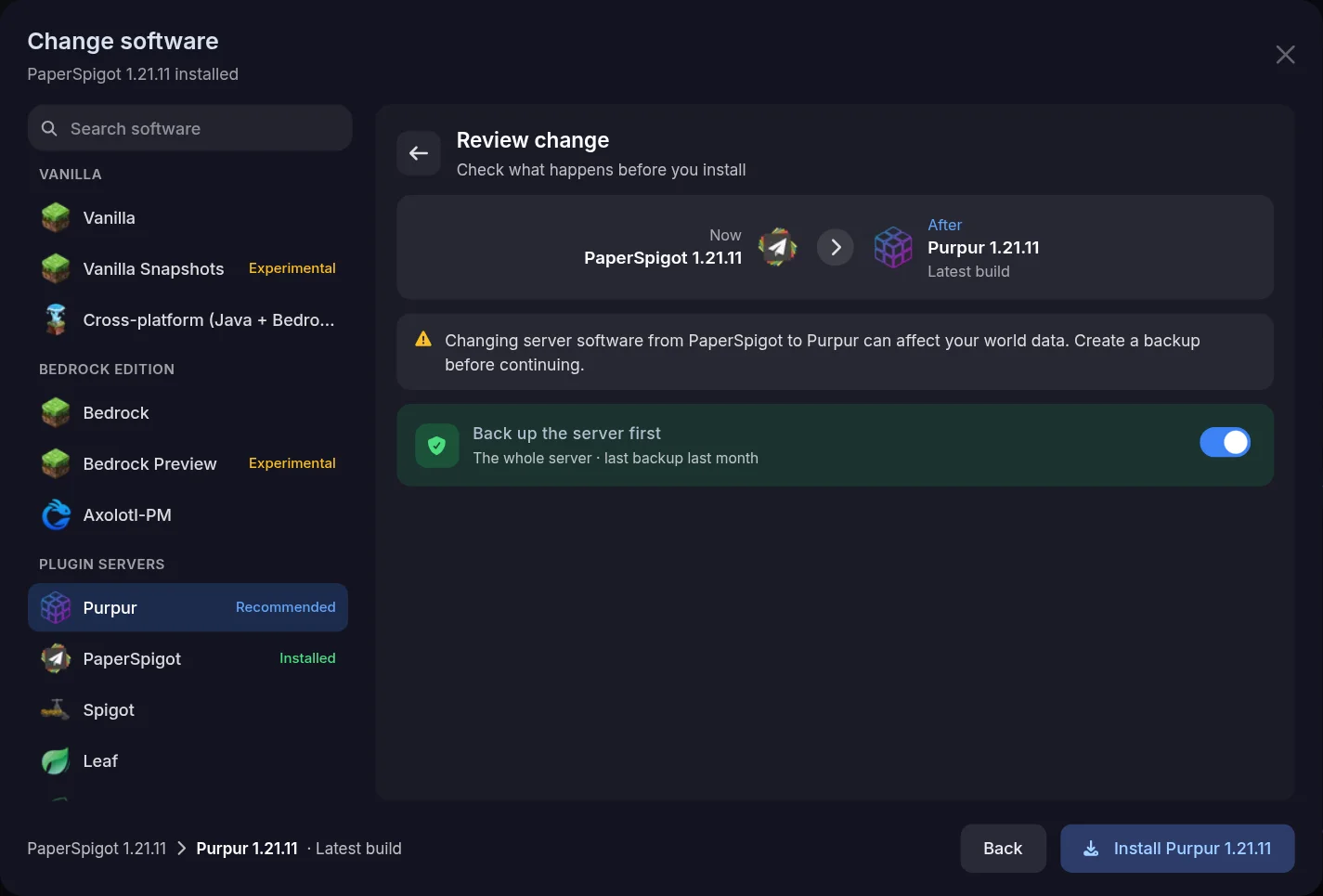
The review warns that the change can affect your world data, and its Back up the server first switch stays on unless you turn it off. A free server can keep 1 backup. If it already has one, the review says your backups are full until you delete it or tick that you'll continue without a backup.
If you pick a version older than the one that saved your world, the review says that version can't open it and points you to Change world version.
A player's game and the server compare a protocol version when they connect, and it changes with almost every release. Mia's server runs 1.21.11, and when her friend Leo's launcher updates his game to 26.1, the game says "Outdated server" until he picks 1.21.11 again or Mia updates. Releases after 1.21.11 start with the year, which is why 26.1 is the newer one.
Updating has a cost too, because plugins and mods are built for specific versions. Beside the version button, Auto-update has Off, Ask and Auto, and on Auto the server updates each time it starts. A modded server only follows new builds for its Minecraft version.
Java is the program that runs Java Edition server software, and each Minecraft version needs a particular Java version.
When you install a version from Change software, the panel moves the server to the Java it needs. Mia's 1.21.11 runs on Java 21, and installing 26.1 switches her server to Java 25.
To see or change it, open the Environment tab of Settings. Java version shows the current one, and the button beside it opens the Java version guide, which lists these pairs.
| Minecraft version | Java |
|---|---|
1.7.10 to 1.12.2 |
8 |
1.13 to 1.16.5 |
8 or 11 |
1.17 |
16 or 17 |
1.18 to 1.20.4 |
17 |
1.20.5 to 1.21.11 |
21 |
26.1 and newer |
25 |
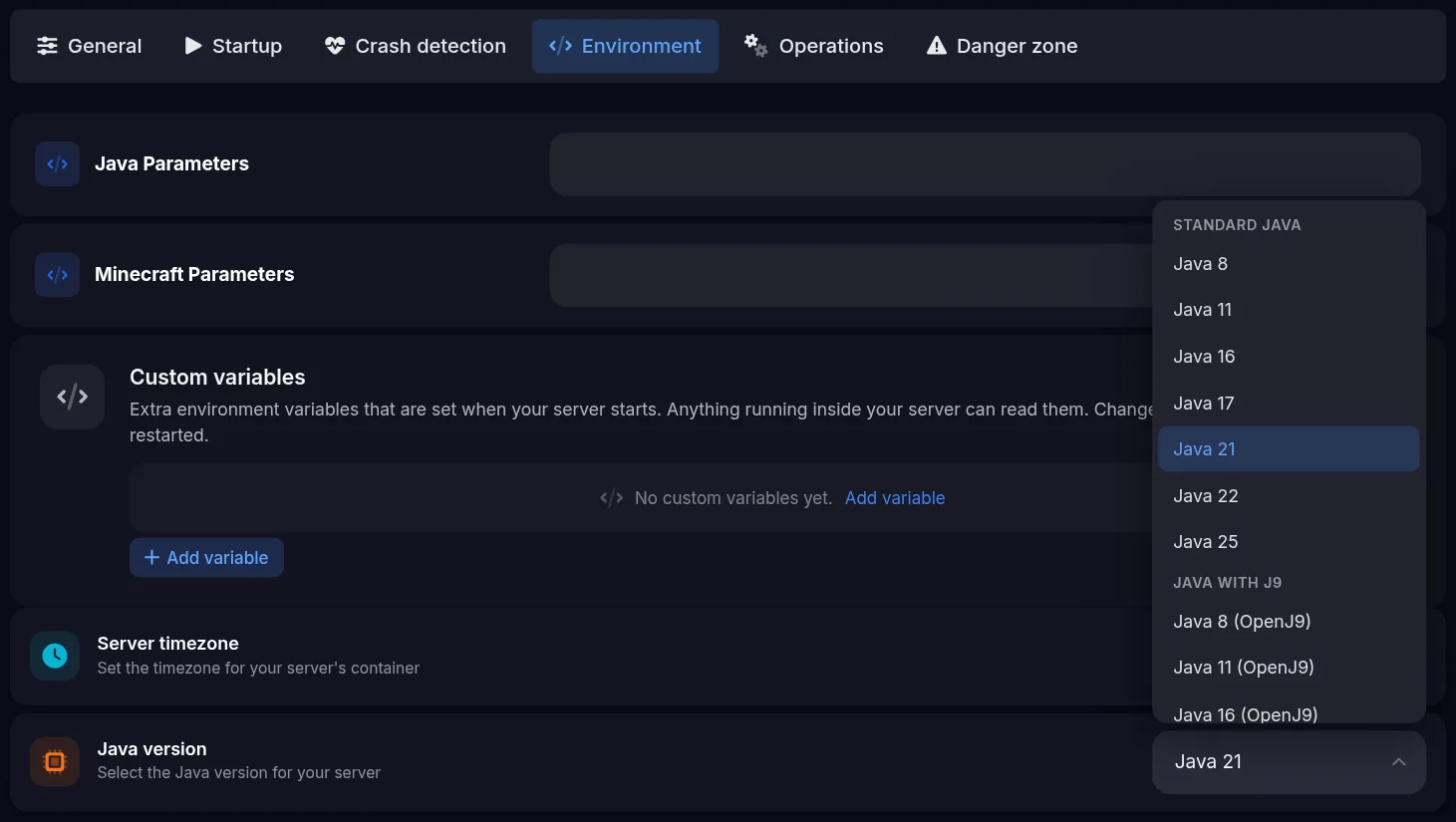
The usual reason to change it by hand is a mod that asks for a different Java. When the version is wrong, the Console page tells you.
| What you see | What it means |
|---|---|
| A banner such as "Purpur needs Java 25" | The server runs an older Java and stops right after starting |
| A dialog titled "Java version update required" | The console printed a Java error such as UnsupportedClassVersionError |
Both have a Change Java version button that opens the setting.