 Guides
Only show guides for your app
GuidesWhere your world is among your server's files, what the Worlds page does with it, what a seed is, and how to keep a world safe before a risky change.
Your Minecraft world is a folder among your server's files, named world unless you chose another name. It holds the land players have explored and everything they built there, and the Worlds page in your server's menu is where you upload, download, switch, reset and restore it.
Mia runs a Paper server on Minecraft 1.21.11 for six friends. In the File manager she sees world, world_nether and world_the_end. Together they're one world with three dimensions, and where each one is saved depends on the software and the version.
| Software and version | Overworld | Nether | The End |
|---|---|---|---|
Paper, Purpur and Spigot, before 26.1 |
world |
world_nether |
world_the_end |
Vanilla, Fabric and Forge, before 26.1 |
world |
world/DIM-1 |
world/DIM1 |
26.1 and newer, Paper included |
world/dimensions/minecraft/overworld |
world/dimensions/minecraft/the_nether |
world/dimensions/minecraft/the_end |
Each dimension keeps its land in a region folder. Every player's inventory and position is one file in world/playerdata, or in world/players/data from 26.1, which is why a new world means empty pockets for everyone.
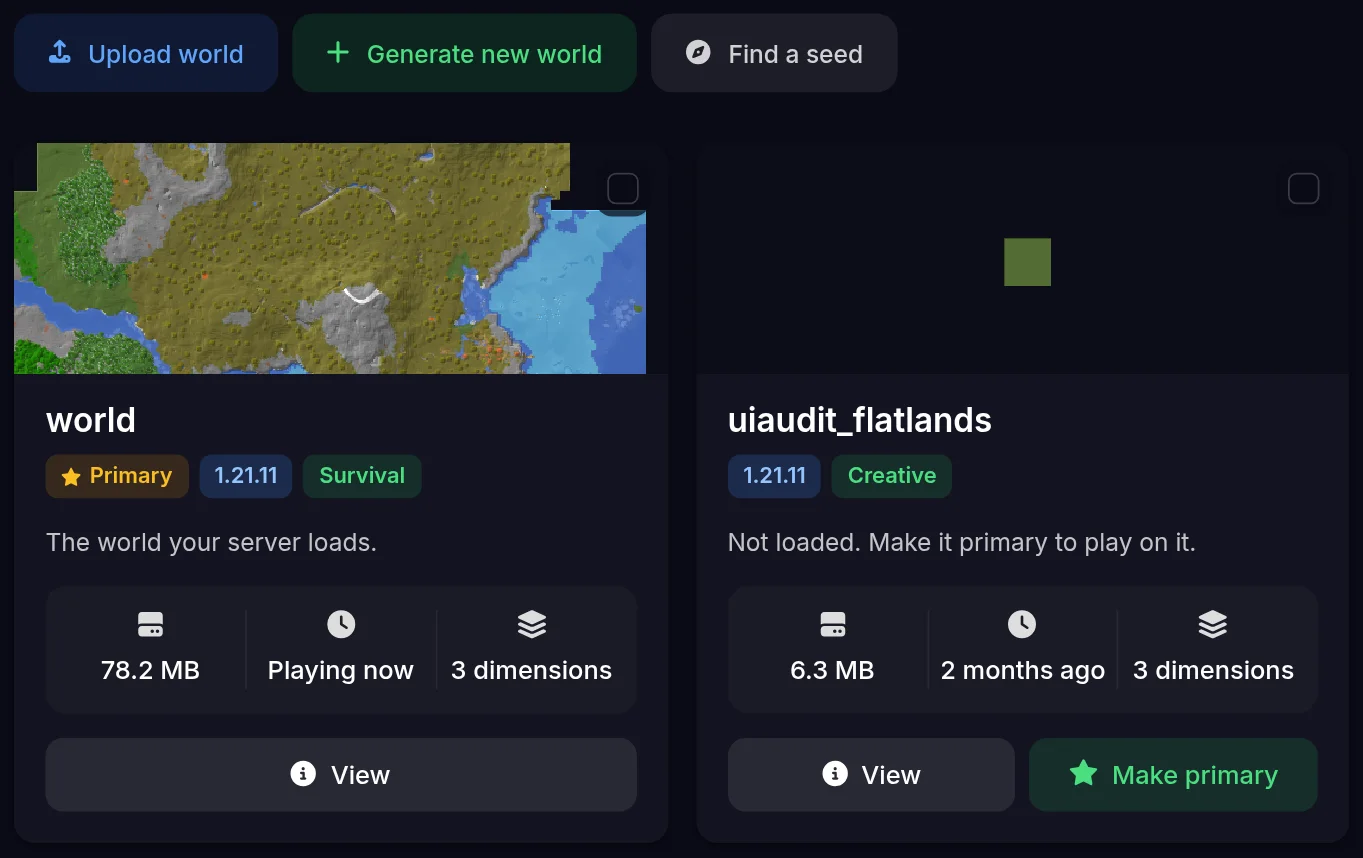
Each world is a card with its Minecraft version, size and dimensions, and Mia's three folders show as one card. The world marked Primary is the one the server loads. Its name is the level-name setting in server.properties, and other worlds are stored without being loaded.
| To | Use |
|---|---|
| Bring a world in | Upload world, as a folder, a .zip, .rar or .7z archive, or a link to a .zip. An upload from your PC can be up to 10 GB |
| Start a new world | Generate new world, with a name, a seed and a world type. The server has to be stopped first, and creating the world takes about a minute |
| Play on another world | Make primary on its card. The server loads it on the next start |
| Keep a copy on your PC | View, then Download, for the whole world or one dimension as a .zip |
| Start the Nether or the End again | View, select the dimension, then Reset Nether or Reset The End. It generates again from the same seed |
| Copy or rename a world | View, then More, for Duplicate and Rename |
Manage your Minecraft worlds has the steps.
The seed is the number or text that Minecraft generates terrain from. The same seed on the same Minecraft version always gives the same mountains, caves and villages.
You set the seed in the Seed box of Generate new world, and Find a seed opens the Seed Explorer, where you can preview seeds first. On the Config page, World seed is the level-seed setting. Minecraft reads it only while it creates a world, which means that changing it later does nothing to a world you already have.
To copy the seed of an existing world, press View and click the seed on the map.
A world grows with how far players travel. A chunk is saved the first time someone gets near it and is kept from then on, whether anyone builds there or not.
Each card shows the world's size, and that size counts against your disk limit, which is 10 GB on a free game server and unmetered on Premium. Your server's RAM, CPU and disk limits explains what happens when the disk fills up. Two tools under View keep the size down.
Minecraft saves over the same files as it goes and keeps no history. After a griefed base or a mistyped /fill, a backup made earlier is the only way back.
A free server keeps 1 backup. If it already has one, Back up first says that your backups are full, and you delete the old one or continue without.
If you change world files yourself in the File manager, stop the server first. A running server keeps the world open and can write its own copy back over yours.