 Guides
Only show guides for your app
GuidesWho can join and who can run commands on your Minecraft server, and how the Players page handles operators, the whitelist and bans.
On a new Falix Minecraft server, anyone who has the address can join and nobody can run admin commands in the game. You change both on the Players page in your server's menu, which holds the whitelist for who can join, the operators for who can run commands, and the bans that keep one player out.
Mia runs a survival server for five friends, who can join, play and chat. From the Console page she can run every command without being an operator, because the console is the server itself. In the game she's a normal player until she makes herself one.
| Tab | What it shows | What you can do |
|---|---|---|
| All players | Everyone who has joined, Online or Offline, with Operator and Banned badges | Kick player, Ban player, Make operator |
| Whitelist | The list, its switch and Join requests | Add, Remove, Approve, Deny |
| Operators | Each operator and their level | Op, Edit, Deop |
| Banned players | Each ban with its reason, its end and who placed it | Ban, Edit, Unban |
| Banned IPs | Each banned address | Ban IP, Unban |
Above the tabs are Online players, Total players and a Maintenance card, which closes the server to everyone except whitelisted players and operators. The Players page covers every button, and the Player monitoring and Reports tabs.
While the server is stopped, the panel edits the list files itself, which means you can whitelist, op and ban without starting it. A Bedrock server has no Operators, Banned players or Banned IPs tabs.
An operator, or op, is a player the server lets run admin commands. Each level includes the ones below it.
| Level | Name in the panel | What it adds |
|---|---|---|
| 1 | Build anywhere | Building inside spawn protection |
| 2 | Cheats | Game mode, give, teleport and command blocks |
| 3 | Moderate | Kick, ban and op other players |
| 4 | Full control | Everything, including stop and save |
On the Operators tab, type the player's name and press Op. Make operator on a player's card does the same, and in the command box on the Console page it's op Leo.
The op command gives the level set in OP permission level on the Config page, which is 4 unless you change it. Edit on an operator's row sets that player's level and whether they Can join when the server is full. On a running server, the edit applies after the next restart.
With the whitelist on, the server turns away every account that isn't on the list. For a server you share with friends, turn it on.
On the Whitelist tab, type a name and press Add, then turn on the Whitelist switch. Add yourself first.
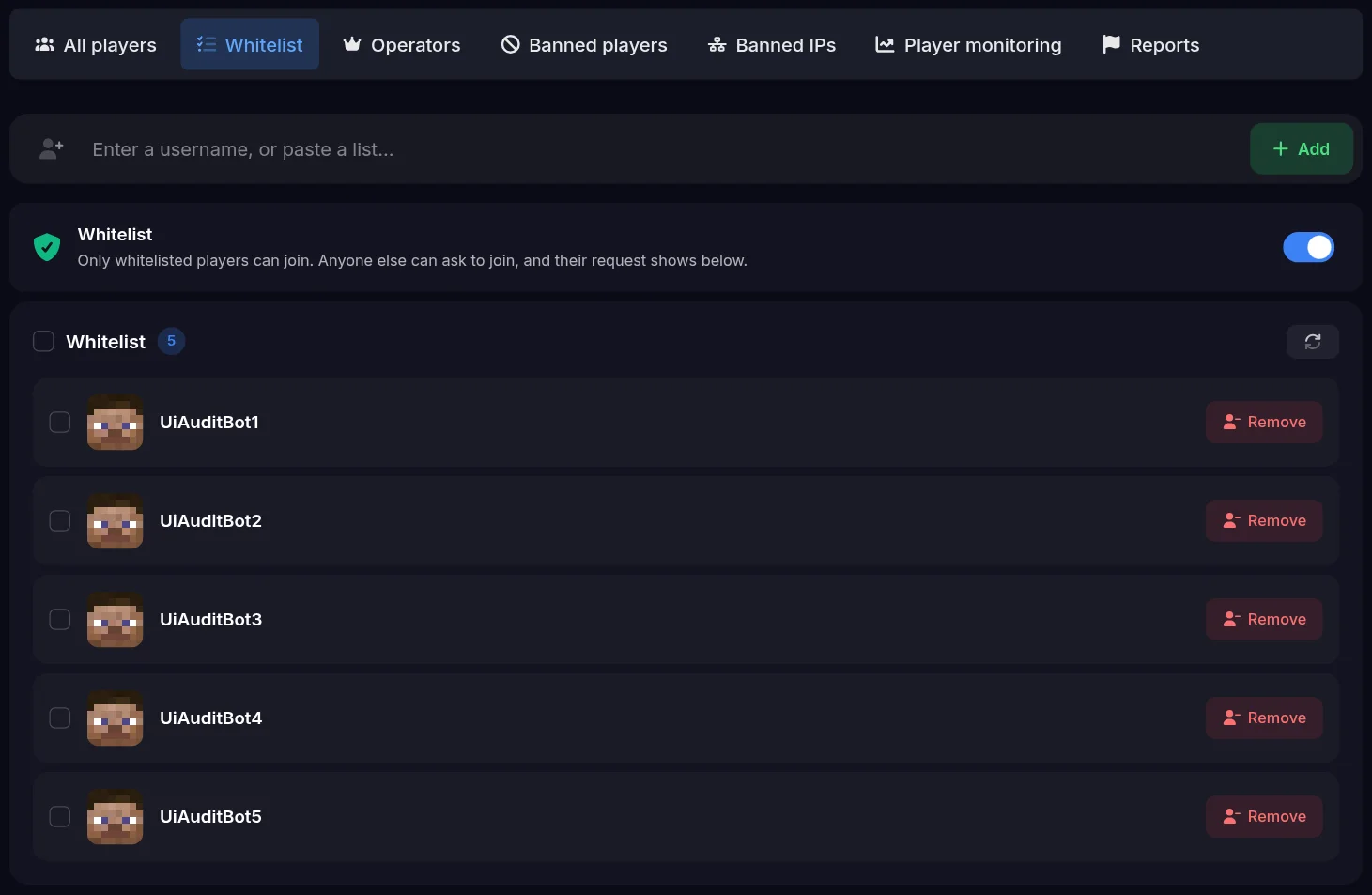
The panel looks each name up before it adds it, and a typo gets "Couldn't find a Minecraft account named Leoo. Check the spelling." A player the whitelist turned away is listed under Join requests for 7 days, with Approve and Deny.
A kick disconnects a player, who can join again right away. A ban blocks one account, and an IP ban blocks everyone on the connection that player last joined from.
Ban player asks for a reason, which the player sees when they try to join, and for How long: 1 hour, 1 day, 7 days, 30 days, Forever or a date you pick. A ban with an end is lifted on time, even if the server is off then. Also ban their IP address adds the IP ban in the same step.
Leo asks Mia for op because he wants to fly while he builds. As a level 4 operator he could also give himself any item, ban his friends and stop the server.
A permissions plugin hands out commands one at a time. With LuckPerms and a plugin that adds /fly, such as EssentialsX, Mia makes a group called builder, gives it the fly permission and puts Leo in it. Both need a plugin server such as Paper. While LuckPerms is running, each player's own page in the panel has a Groups section.
LuckPerms basics sets it up, and the plugin's own documentation is at luckperms.net.
| What happened | Where you fix it |
|---|---|
| You turned the whitelist on and can't join | Add your own name on the Whitelist tab |
| A whitelisted friend still can't join | They're on another account, or the name was mistyped. Approve the name that tried under Join requests |
| Someone joined under an operator's name | Cracked is on, on the Config page, and the server no longer checks accounts. See Cracked vs online mode |