 Guides
Only show guides for your app
GuidesWhat to send your friends so they can join, where to find it in the panel, and what the name, the IP and the port each do.
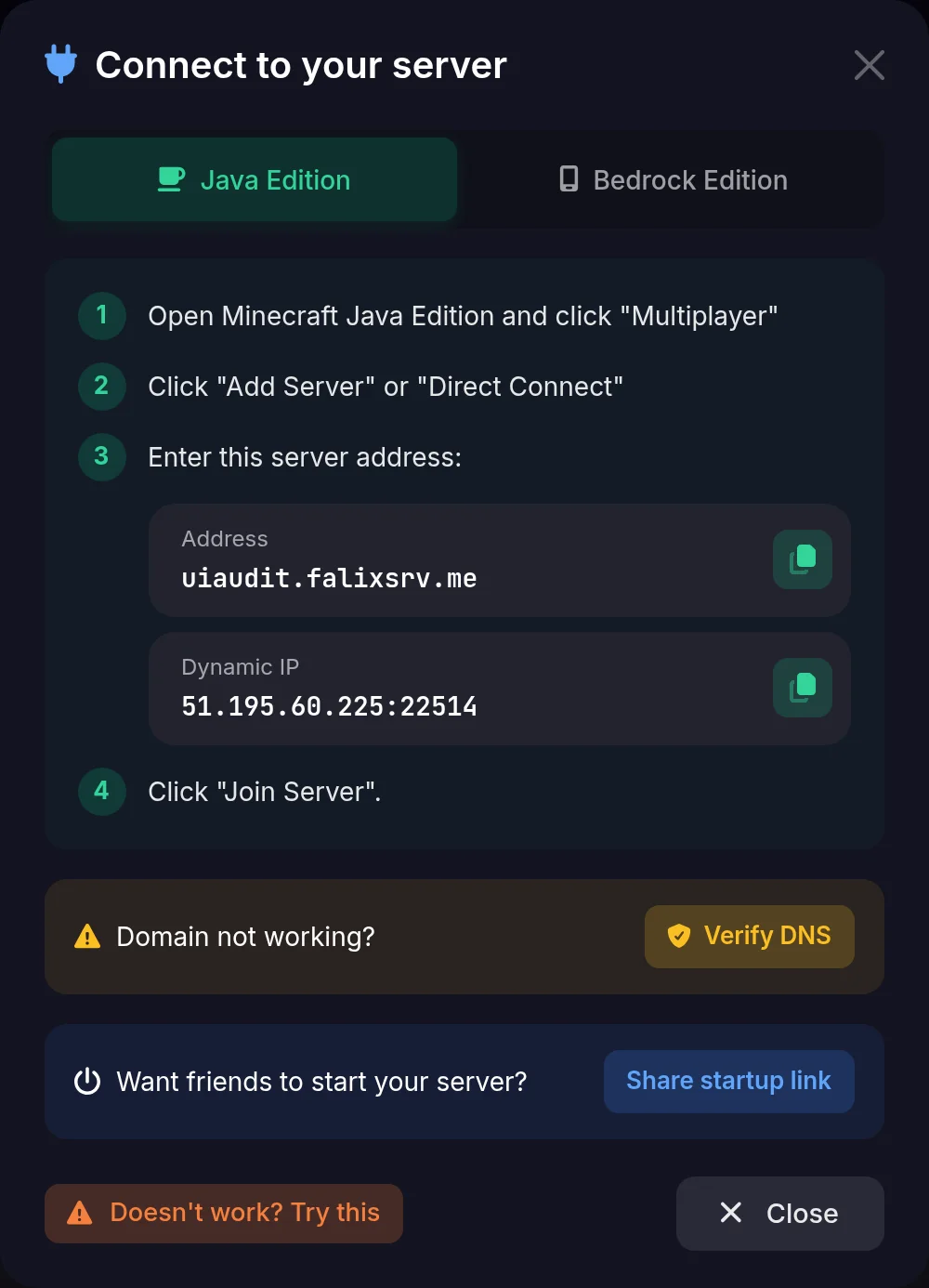
Your server's address is the name you chose when you created it, such as mia.falixsrv.me. It's shown beside your server's name at the top of the Console page, and it's what you send to friends who want to join. Behind the name are an IP address and a port, which some players have to type as well.
Send them the name. Click it on the Console page to copy it.
This page follows Mia, whose Minecraft server is mia.falixsrv.me, and her friend Leo. What Leo types depends on his edition of Minecraft, and Connect on the Console page has a tab for each.
Leo types mia.falixsrv.me and nothing else. Before it connects, Minecraft Java asks DNS, the internet's lookup service for names, which port goes with the name. Falix keeps that answer in an SRV record for every name your server has.
Bedrock asks for an address and a port in two separate boxes, because it doesn't look the port up from the name. Mia sends Leo both values from the Bedrock Edition tab.
The port there is either 19132, Bedrock's default, or one of the server's own ports. Every server on the machine shares 19132, which is why it isn't on the Network page.
Other games don't look the port up the way Minecraft Java does, and for most of them Connect shows the name with the port to type.
Many servers run on one Falix machine and share its IP address. The IP is like the street address of a block of flats, and the port is the flat number that says which server is yours.
| Part | What it is | Where you find yours |
|---|---|---|
| Name | A subdomain of a Falix domain, ending in falixsrv.me unless you picked another ending |
Console page, and Domains on the Network page |
| IP | The number of the machine your server runs on | "Dynamic IP" in the Connect dialog, with the port after it |
| Port | The number of your server on that machine, picked by Falix | Ports on the Network page |
| Limit per server | Free | Premium |
|---|---|---|
| Ports | 4 | 21 |
| Falix subdomains | 3 | 10 |
Both counts include the port and the name your server was created with. A Premium server can also use up to 5 domains that you own.
Extra ports are for add-ons that need one of their own, such as voice chat, a web map or Geyser for Bedrock players. When you press Add port on the Ports tab, Falix assigns a free number, and you can't choose it. The Ports and Domains tabs both show how many you've used, as in 1/21 ports used, and The Network page, end to end walks through adding and changing them.
| What happened | What to check |
|---|---|
| Leo's game can't find the name | Check the spelling. Then open Connect on a Minecraft server and press Verify DNS, which checks the records behind a Falix name and repairs them. A repair can take a few minutes to apply. |
| Leo typed the IP without the port | His game tried Minecraft Java's default port, 25565, where your server most likely isn't. Send him the name, or the IP with the port, as in 198.51.100.20:25591. |
| The IP worked last week and now it doesn't | Your server has moved and its IP changed. Send him the name, or the new values from Connect. |
| Leo is on Bedrock and can't get in | Both boxes have to match the Bedrock Edition tab. If that tab says your server doesn't support Bedrock Edition, Bedrock, Java, and crossplay shows how to add it. |
| The name is right and nobody gets in | Check on the Console page that the server is running. Players can't join my Minecraft server explains each message a player can see. |
While a name is being repaired, Doesn't work? Try this in the same dialog gives the IP and port to use in the meantime.