 Guides
Only show guides for your app
GuidesWhere your server's files are, how you open them, what a backup holds on each plan, and what a reinstall or a deleted file does to them.
Everything your server keeps is a file in one folder, from the world and the settings to the plugins or your code. You open that folder in the File manager or over SFTP, and a backup is a copy of it from one moment.
Take Mia, who runs a Paper server at mia.falixsrv.me. She has two ways in, and both show the same folder.
| File or folder | What it holds |
|---|---|
world |
Every build and each player's inventory. The folder has another name if you changed level-name |
plugins or mods |
Your plugins or mods, with the settings each one saves |
server.properties |
The server's main settings |
logs and crash-reports |
What the console printed, and a report for each crash |
server.jar |
The server software |
| File or folder | What it holds |
|---|---|
index.js or app.py |
The file your server starts. These are the defaults on Node.js and Python |
package.json or requirements.txt |
The packages your server installs when it starts |
| Everything else | Your code and whatever it saves |
Your code sees the folder as /home/container.
A backup copies every file in the folder, unless you choose Select specific files or folders when you create it. Anything Mia builds afterwards is missing from that copy.
Backups go to your own Google Drive, and the Backups page asks you to connect it first. A free server keeps 1 backup. Before you make another, the page tells you that the new one replaces it.
Once Drive is connected, the Auto backups tab can also save a copy before an inactive server is moved to storage.
Falix stores the backups, and a server keeps up to 20. When all 20 are used, a new backup replaces the oldest one that isn't locked. Lock a backup to keep it until you unlock it.
Premium servers get automatic backups too, listed on the Auto backups tab.
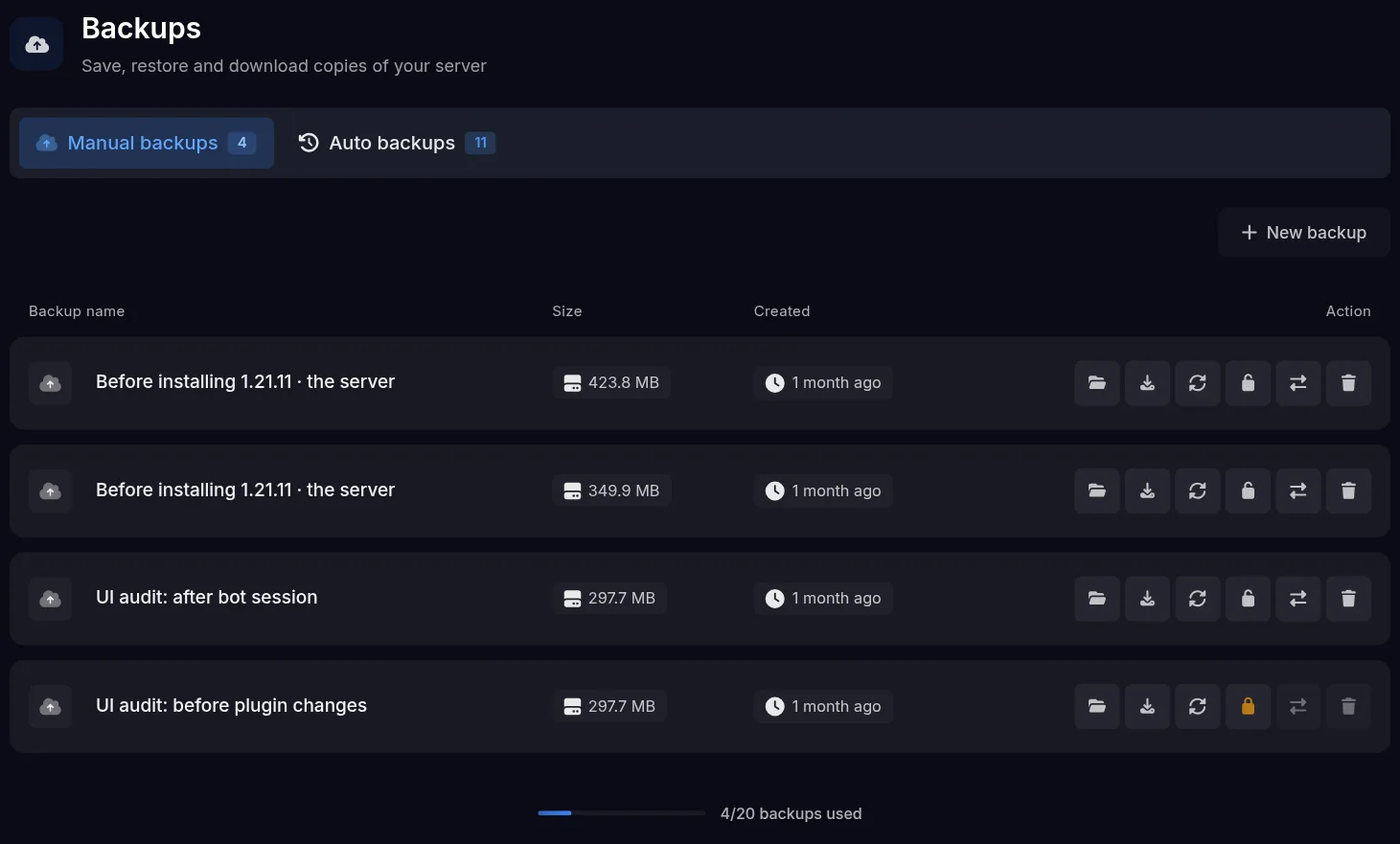
Back up your server shows how to create, restore and download one.
| What you do | Where | What happens to your files |
|---|---|---|
| Change the Minecraft version or software | Console | Your world, plugins, mods and configs stay. A newer version upgrades the world, which can't be undone |
| Restore a backup | Backups | Files in the backup replace the current ones. Delete all files before restoring removes everything else first |
| Reinstall or repair game | Settings, Danger zone | Settings are reset, and some or all files are deleted |
| Switch application (Premium) | Settings, Operations | The server is reinstalled, and files may be deleted |
| Transfer server (Premium) | Settings, Operations | Files, worlds, player data, plugins and settings move with the server, and it gets a new IP address |
| Delete server | Settings, Danger zone | Files, settings, backups and databases are deleted for good |
A free server that has been stopped for a while is moved to storage. Its files are kept, and the next Start copies them back first. Why your server starts, stops and sleeps explains that state.
Say Mia deletes the plugins folder by mistake.
On Premium, the Backups folder at the top of the File manager opens a backup like any folder, and Extract copies the files you pick back to your server. On the free plan, a restore brings back every file in the backup.
If Mia edited a file and wants the old text, History in the file's menu lists its earlier versions. The Time Machine page shows who changed what, and Time Machine and Logs covers it.