 Guides
Only show guides for your app
GuidesWhich of the three you want, which server software runs each, which Addons page installs it, where the files go, and what to check when a start fails.
Plugins, mods and datapacks are three ways to add things to a Minecraft Java server, and each has its own page under Addons in your server's menu. A plugin runs on the server only. A mod changes the game itself, which usually means every player installs it too. A datapack changes one world with tools the game already has.
Mia runs a free Paper server for five friends. When her friend Leo asks for /home, a plugin adds it and he installs nothing. A jetpack mod is a bigger step, because the server needs a mod loader first and all five friends have to install the mod too. For most survival servers with friends, plugins are enough.
| Add-on | Group in the software list |
|---|---|
| Plugins | Plugin servers, such as Purpur, PaperSpigot or Spigot |
| Mods | Mod loaders, which are Forge, Fabric, Quilt and NeoForge. A mod only runs on the loader it was built for |
| Plugins and mods together | Hybrid (Mods + Plugins), such as Arclight |
| Datapacks | Any Java software, Vanilla included |
Server software and versions explains each kind and how to change it. For a Bedrock server, read Bedrock add-ons, behavior packs and resource packs.
Open Addons in your server's menu. It opens on Mods when your server runs a mod loader, and on Plugins otherwise.
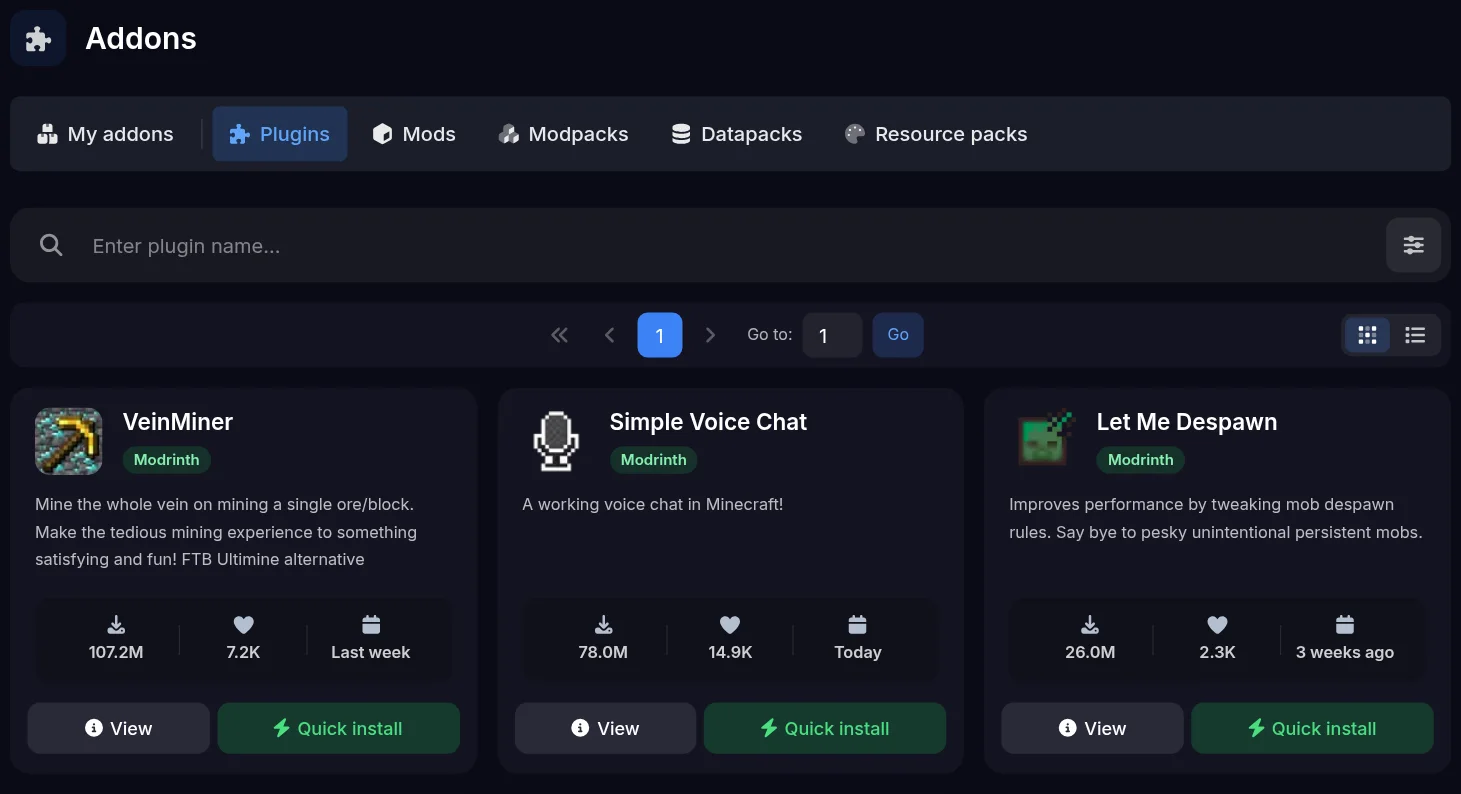
| Page | Searches | Where it installs |
|---|---|---|
| Plugins | SpigotMC, Modrinth, CurseForge and Hangar | /plugins |
| Mods | Modrinth and CurseForge, filtered to your loader | /mods |
| Modpacks | CurseForge, Modrinth, Technic Platform and Feed The Beast | The whole server, which gets the pack's loader, mods and settings |
| Datapacks | Modrinth and CurseForge | The datapacks folder of the world you pick beside the search box |
| Resource packs | Modrinth and CurseForge | server.properties. The panel uploads the resource pack and puts its link in resource-pack |
Quick install on a result installs the latest version that fits your server. Plugins and mods load when the server starts, which means you restart after installing one. A modpack only installs while the server is stopped.
My addons lists what's installed, with Update, Disable and delete, and a deleted add-on stays in the Recycle Bin for 7 days. The steps are in Install Minecraft plugins, Minecraft mods and modpacks and Install and manage datapacks.
For a plugin, a datapack or a resource pack, players install nothing. A mod that adds blocks, items or mobs has to be in each player's game too, on the same loader and at the same version. With a modpack, every player installs the same pack.
The Mods page asks before it installs a mod that its author marks as client-only, such as a minimap, because it may do nothing or stop the server from starting.
A modpack is a ready-made set of mods, and the Modpacks page says one usually needs 6 GB of RAM or more.
A free game server has 1 GB of RAM, or 3 GB if it was created before 28 October 2026. You can still install a pack. Install asks first and offers Get 6 GB with Premium or Install anyway, and a bigger pack can run out of memory and crash while it loads.
You choose the RAM, and the Minecraft plans run from 4 GB to 12 GB. A Premium server also gets New instance, which installs the pack as a separate setup beside your current one.
| What you see | What to do |
|---|---|
| "Your server failed to start" or "A plugin didn't load" on the Console page | Press Show me why. It lists what it found, such as a missing dependency or a mod built for another version, and what to fix |
| My addons says add-ons "will cause problems on the next start" | It lists each one with the reason, such as "is installed twice", and a fix where it has one, such as Disable it |
| "Your server ran out of memory (RAM)" after a modpack install | The pack needs more RAM than the server has. See Your server's RAM, CPU and disk limits |
If none of these names the cause, Disable the add-ons you installed last in My addons and start again. Reading a Minecraft crash report covers the log itself.